

Hades II is one of the best action games of the last few years, and plenty of people want it on their phones. Here’s the short version: there is no official Hades II app for Android. The first Hades only ever reached mobile as an iOS port through Netflix, and that was pulled from the catalog in 2025. That doesn’t shut your Android phone out, though. You can buy Hades II on Steam, run it on your own PC, and stream it to your phone with Valve’s free Steam Link app. This guide shows exactly how, and it explains the unofficial APK files you’ll run into along the way.
You’ll also find what Hades II is, what makes it special, what it costs, and what you need for smooth streaming, including a controller, solid Wi-Fi, and a PC that can keep up. There are first-run tips for new players, answers to common questions, and a few Android-native games worth trying if streaming isn’t practical for you. By the end, you’ll know whether this setup suits you and what to buy first. If you want to skip ahead, the button below goes to the official Steam page, which is where every legitimate route to Hades II begins, and the rest of this guide is here when you need it.
What Is Hades II?
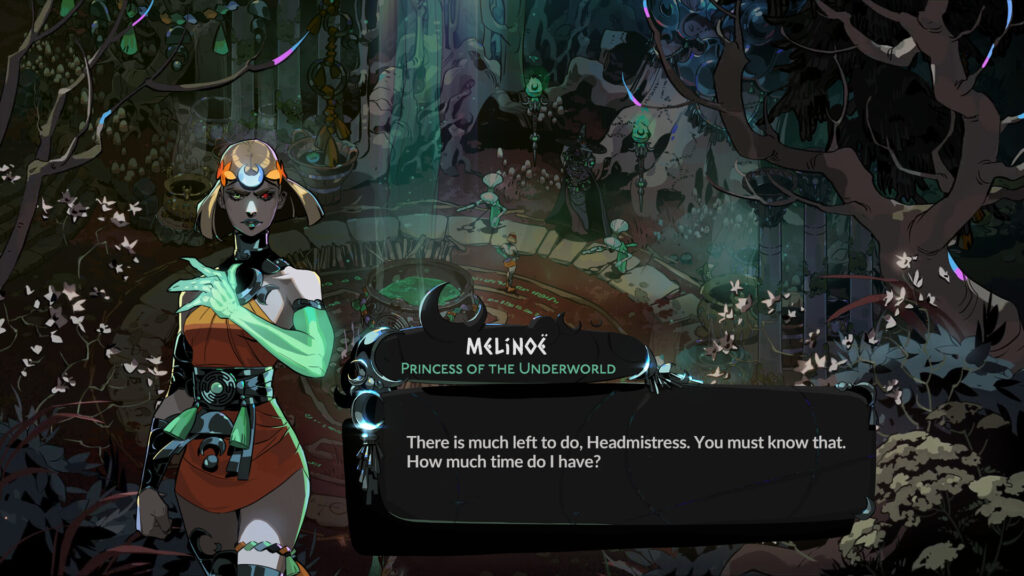
Hades II is a roguelike action game from Supergiant Games, the studio’s first sequel. You play Melinoë, a Princess of the Underworld, who fights her way up from the depths in repeated runs, picking up powers from Greek gods and growing stronger between attempts. The story unfolds through conversation and consequences, so every failed run moves things forward a little.
The game came out in early access on PC in 2024. It had its full release on September 25, 2025, for Windows, macOS, Nintendo Switch, and Nintendo Switch 2, and arrived on PlayStation 5 and Xbox Series X|S on April 14, 2026. It was widely praised for its gameplay, art, music, and voice acting, although its ending drew some criticism at launch.
Similar Apps:
DuneCrawl APK
Forza Horizon APK
Key Features of Hades II
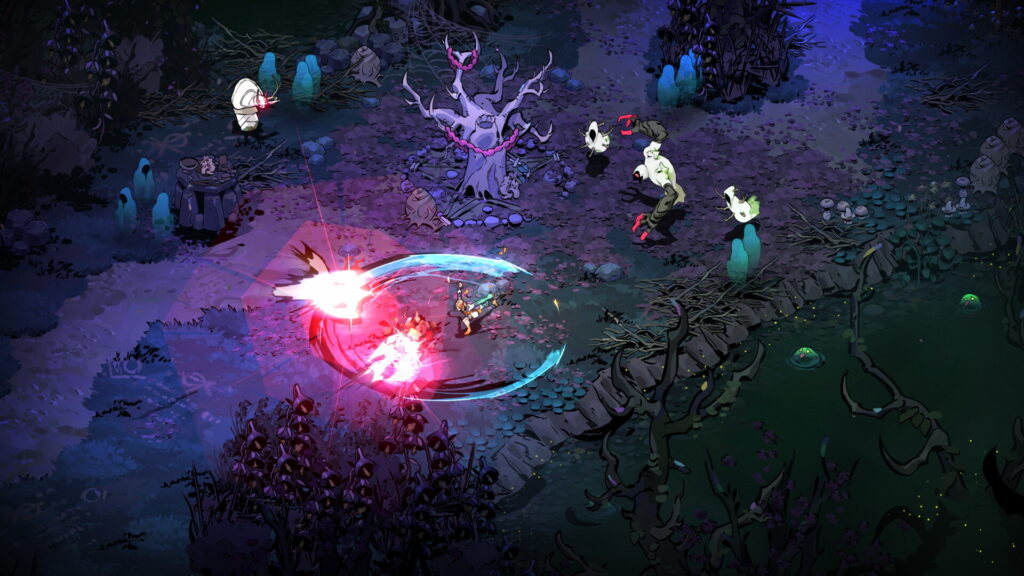
The combat is fast and skill-based. You dodge, attack, cast, and weave between enemies, and every run lets you mix weapons, gifts from gods, and upgrades into a different build.
The story is as big a draw as the fighting. Supergiant is known for dialogue that reacts to what you’ve done, and Hades II continues that tradition with a new cast and a mythological setting that goes beyond the first game.
Between runs, you improve your character through permanent upgrades, and the game brings back God Mode for players who want a gentler experience while they learn. The art style is hand-painted and colorful, and the soundtrack is a major part of the atmosphere.
It’s also well supported on handhelds. Hades II is Steam Deck verified, which matters later when we talk about streaming.
Is There a Hades II APK?
Not an official one. Supergiant has never released Hades II for Android, and the studio has historically supported only iOS on mobile. The first Hades came to iPhone and iPad through Netflix in March 2024, required a Netflix subscription, and was removed in 2025.
You will still find pages offering a “Hades II APK.” These are unofficial ports. One recent page describes a small launcher APK that you pair with a separate game archive you have to import yourself. That second file is the actual game, hosted by a third party, which is a copyright problem. Another unofficial port of the first Hades appeared on Android in October 2026, and reports say it runs on some Snapdragon phones but crashes on MediaTek devices.
We don’t recommend any of them. They can’t be verified, they may carry unwanted software, they sidestep the people who made the game, and compatibility is a gamble. There is a much better way.
How to Play Hades II on Android (The Legitimate Way)
The route is simple: buy the game on Steam, run it on a PC you own, and stream it to your phone with Steam Link. Steam’s own listing for the Hades bundle even shows Remote Play on phone and tablet among its features.
- Buy Hades II on Steam and install it on your PC or Mac. It costs $29.99.
- Install Steam Link on your Android phone or tablet. It’s a free app from Valve.
- Sign in to the same Steam account on both devices.
- Make sure Remote Play is enabled in the Steam settings on your computer.
- Pair your phone with your PC in the Steam Link app, as it guides you.
- Start Hades II from the Steam Link library and play.
Your computer has to be on, awake, and running Steam the whole time. The phone only shows the video and sends your inputs.
What You Need for Smooth Streaming
Streaming is more forgiving than people expect, but a few things matter.
- A decent connection. Valve recommends a 5 GHz Wi-Fi network or a wired connection on the computer. Streaming over the internet is possible but depends on both connections being fast and stable.
- A controller. Steam Link offers touch controls, but fast action games like Hades II are far better with a Bluetooth gamepad. Pair it with your phone first.
- A phone mount or a tablet. Hades II is detailed, so a bigger screen helps.
- A PC that runs the game. Check Steam’s system requirements for Hades II against your computer.
- Patience for a little lag. Even a good stream adds a small delay, which matters in a game with tight dodges.
What It Costs
| Option | Cost |
|---|---|
| Hades II on Steam | $29.99 (the lowest recorded Steam price was $20.99 during a 30 percent sale in June 2026) |
| Hades and Hades II bundle | About $67.46, which includes both games and their soundtracks |
| Steam Link app | Free |
| PC Game Pass | Hades II has been listed as included, so check current availability |
Controls and Settings Tips
Pair your controller before you open Steam Link, and test it on a simple game to make sure the buttons respond. Lower the streaming quality if you see stutter, since a smooth stream beats a sharp one in an action game. If you play on mobile data, check how much your plan allows, because streaming uses a lot.
Tips for Your First Few Runs
You’ll lose a lot at the start, and that’s by design. Try each weapon for a few runs before you decide which one fits you. Pay attention to what gods offer you, because combining their boons into a coherent build is the heart of the game. Spend your permanent upgrades early, and talk to everyone between runs, since conversations move the story and often unlock new options. If the challenge feels too steep, God Mode is there to help.
Native Android Games If Streaming Isn’t Practical
If you want something that installs directly on your phone, a few action roguelikes are worth a look. Dead Cells is a well-known paid port, and Soul Knight is a popular free game. Neither is Hades II, but they scratch the same itch for quick, replayable runs.
Common Problems and Fixes
The stream is laggy. Switch to 5 GHz Wi-Fi, move closer to your router, and lower the streaming quality.
The controller isn’t recognized. Re-pair it in your phone’s Bluetooth settings and restart Steam Link.
The game doesn’t show in Steam Link. Make sure Remote Play is enabled and that both devices use the same Steam account.
The PC goes to sleep. Change your power settings so it stays awake during play.
Touch controls feel clumsy. A Bluetooth controller is a much better way to play.
Frequently Asked Questions
Is there an official Hades II APK?
No. Hades II has never been released for Android.
Can I play Hades II on my Android phone?
Yes, by streaming it from your PC with the Steam Link app.
How much does Hades II cost?
$29.99 on Steam.
Is Hades II free?
No. It’s a paid game.
Which platforms is it officially on?
Windows, macOS, Nintendo Switch, Nintendo Switch 2, PlayStation 5, and Xbox Series X|S.
Is the Hades II APK I see online safe?
They’re unofficial ports and can’t be verified, so we don’t recommend them.
Did Hades come to Android?
Not officially. It reached iOS through Netflix in 2024 and was removed in 2025.
Do I need a controller?
Not strictly, but it makes streaming much more comfortable.
Is Hades II on Steam Deck?
Yes, it’s verified.
Conclusion
Hades II has no official Android version, and the APKs that claim otherwise are unofficial and risky. But you can still play it on your phone the right way: buy it on Steam, keep your PC on, and stream it with Steam Link and a controller. It takes a little setup, and in return you get the real game.