

I’ve had a Minecraft world running on my phone longer than I’ve had some apps installed, period. It’s the one game that survives every “clean up your storage” purge, mostly because it never really finishes; there’s always a half-built base, a mineshaft I haven’t explored, or a redstone contraption I broke last week and haven’t fixed. If you’re looking at this APK build and wondering whether it’s worth the download, here’s an honest breakdown from someone who actually plays it on a mid-range Android phone, not a marketing description of features nobody tests.
What You’re Actually Getting
This is the Bedrock version of Minecraft, the codebase built specifically to run on phones, tablets, consoles, and Windows, as opposed to the Java version PC players usually mean when they say “vanilla Minecraft.” Bedrock trades a few Java-exclusive quirks for something that just runs better on touchscreens: lighter memory footprint, controls that don’t feel like a PC game with a phone bolted on, and cross-play with anyone else on a Bedrock device, whether that’s a Switch, an Xbox, or another phone.
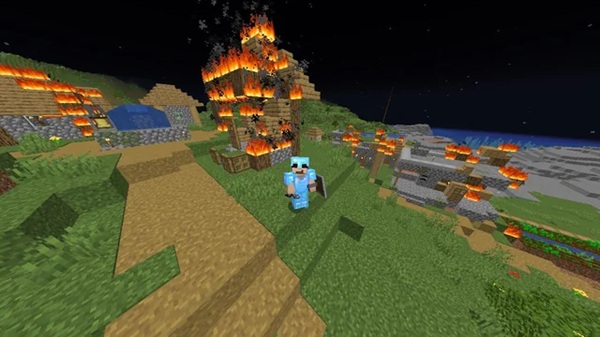
If you’ve never played Minecraft, the pitch is simple: it’s a block-based world with no required storyline. You decide what a session looks like: dig a mine, build a house, fight a Warden you probably shouldn’t have provoked, or just wander until you find something interesting. The lack of a script is the whole appeal.
Java vs. Bedrock: Why This Distinction Actually Matters
A lot of first-time installers don’t realize they’re choosing between two genuinely different codebases, not just two skins on the same game. Some practical differences that affect real decisions:
- Redstone timing is different. A working Java redstone clock will sometimes behave differently tick-for-tick on Bedrock. If you’re following a build tutorial, check which edition the creator used before you get confused about why your circuit isn’t firing.
- Combat mechanics diverge. Java uses attack cooldowns tied to weapon speed; Bedrock’s combat feels closer to older, pre-1.9 Java combat — faster, more spam-clickable. Players who learned combat on one edition often find the other feels “wrong” at first.
- Add-ons vs. mods. Bedrock doesn’t support traditional Java mods (Forge, Fabric). It has its own add-on system using JSON and behavior packs, which is more limited but also far more stable — add-ons rarely break a world the way a bad Java mod can.
- Marketplace vs. open modding. Bedrock’s content marketplace is curated and paid; Java’s modding scene is free and chaotic. Neither is objectively better — it depends on whether you want curated convenience or maximum customization.
- World compatibility isn’t automatic. A Java world save won’t open in Bedrock and vice versa without a conversion tool, and conversions aren’t always clean, especially with custom structures.
If you’re buying or downloading specifically to play with a friend, confirm which edition they’re on first. This single detail causes more “why can’t I join your world” confusion than anything else in the game.
Device Requirements and What Actually Runs Smoothly
Minecraft Bedrock has a reputation for running on almost anything, and that’s mostly true, but “runs” and “runs well” are different claims.
Minimum realistic experience: 2GB RAM devices can launch the game and handle small worlds, but expect stutter in villages, during heavy redstone activity, or with render distance pushed past the low-medium range.
Comfortable experience: 3-4GB RAM with a mid-range chipset (Snapdragon 6-series or equivalent, a few years old) handles survival worlds, moderate building, and small multiplayer sessions without much complaint.
No compromises: 6GB+ RAM with a recent chipset lets you push render distance up, run shaders-style resource packs without stutter, and handle large redstone farms or big multiplayer worlds.
A few settings that matter more than people expect:
- Render distance is the single biggest performance lever. Dropping it by even 2-3 chunks on an older device often fixes lag spikes that look like they’re caused by something else entirely.
- Entity count matters more than block count. A massive base with no mobs runs better than a small area packed with animals, villagers, and item drops. Automatic mob farms are a common, avoidable cause of frame drops.
- Resource packs cost more RAM than people assume. A high-resolution texture pack can turn a smooth game into a slideshow on a budget device. Test on the lowest resolution option first.
World Generation, Biomes, and What’s Actually Worth Exploring
Procedural generation means no two worlds are identical, but certain biome pairings consistently produce better early-game starts than others:
- Plains bordering a forest give you fast wood access plus open ground for a first base — the single best combination for a first night.
- Savanna near a village is a strong pick if you want early trading access; villagers here often have useful starting trades.
- Mountains and cliffs look great and make for dramatic builds, but they’re genuinely harder to survive in early on — less flat ground, more fall damage risk, fewer easy food sources nearby.
- Mushroom fields, when you find one, are worth remembering even if you don’t settle there immediately — hostile mobs don’t spawn on them naturally, which makes them one of the safest biomes in the game for a secondary base or livestock pen.
Caves and underground generation got a significant overhaul a few versions back — the old “strip mine in a straight line” strategy is far less efficient now than actually exploring the layered cave systems, which extend much deeper and wider than older versions of the game.
Mobs Worth Knowing Beyond the Basics
Everyone knows Creepers explode and Zombies swarm at night. Less obvious, but more relevant to how you actually play:
- The Warden is not meant to be fought head-on, especially not on a phone where precise kiting is harder. It detects sound and vibration, not sight — moving carefully and quietly through deep dark areas matters more than any weapon you’re carrying.
- Piglins in the Nether will trade with you if you’re wearing gold armor, and will become hostile if you’re not — a detail that trips up a surprising number of players who wander into the Nether unprepared.
- Allays, when you find one, are worth keeping around — they’ll duplicate items for you when given a note block and collect matching items on command, which turns into a genuinely useful early-game item-sorting tool.
- Iron Golems spawn naturally in villages and defend villagers automatically, but you can also build them intentionally — useful if you’re setting up a base you want passively defended without babysitting it.
Building Projects That Are Actually Achievable on Mobile
Ambitious redstone builds are possible on Bedrock, but the touch interface makes precision placement slower than on PC. Projects that translate well to mobile play:
- Simple automatic farms (wheat, carrots, sugar cane with water-flow harvesting) — low precision requirements, high payoff.
- Villager trading halls — more about organization and villager management than redstone precision.
- Basic item sorters using hoppers and comparators — doable with patience, and genuinely useful once built.
- Redstone clocks and simple door mechanisms — good entry point into redstone logic without needing frame-perfect placement.
Save the large-scale automatic mob farms and complex flying-machine builds for when you’re on a tablet with a stylus or have access to a keyboard-connected setup — the precision cost on a touchscreen isn’t worth the frustration for these specific builds.
Practical Tips That Actually Matter
Most “tips” lists for this game are recycled advice that assumes you’ve never played. Here’s what actually changes your experience on a phone specifically:
- Turn on split-screen inventory scaling in the accessibility settings if you’re on a smaller phone — the default hitboxes for crafting slots are genuinely too small on a 6-inch screen.
- Bind sprint to double-tap, not a button, if your device supports it. It frees up screen space during combat.
- Keep a shield in your offhand slot at all times once you unlock one — mobile combat timing is forgiving enough with a shield that it more than compensates for slower manual dodging.
- Coordinates matter more on mobile than people admit, because it’s easier to get disoriented swiping a camera with your thumb than with a mouse. Set a world spawn compass early.
- Realms subscriptions are worth it if you play with the same 2-3 people regularly — it removes the “who’s hosting tonight” problem entirely, which matters more for mobile groups who don’t always have a dedicated always-on PC to run a server.
- Clear cached data periodically, not the whole app. Minecraft’s world files are separate from cache on Android — clearing cache through Android settings (not “clear data”) frees storage without touching your saved worlds.
Common Problems and Realistic Fixes
Game crashes on loading a specific world: Usually a corrupted chunk or an add-on conflict. Try loading the world with all add-ons disabled first — if it loads clean, the add-on is the problem, not the world.
Multiplayer won’t connect to a friend: Check that you’re both on the same edition (see above), and that cross-play is enabled in each account’s privacy settings — this is an Xbox Live account setting, not just an in-game toggle, and it’s the most commonly missed step.
Textures look blurry or flat compared to screenshots online: Many promotional screenshots use resource packs or shaders that aren’t part of the base install. Vanilla Bedrock on default settings looks noticeably plainer than heavily modded showcase footage.
Game runs fine solo but lags in multiplayer: This is almost always about whoever is hosting the world, not your device. If you’re the host, your phone is doing double duty running the world simulation and rendering your own view — consider having whoever has the strongest device host instead.
Is It Safe to Install From an APK?
This is the question people actually search for and rarely get a straight answer to. A few things worth knowing before you install anything outside the Play Store:
- Only ever install from a source you trust, like Zee9, and check the file size and permissions requested against what you’d expect; Minecraft doesn’t need access to your contacts or SMS, for example.
- APK installation requires enabling “install unknown apps” for whichever app you’re using to open the file — Android will prompt you for this, and it’s worth reading rather than tapping through blindly.
- If an APK asks for more permissions than the Play Store version does, that’s a red flag, not a formality.
- Keep your original world backups outside the app’s internal storage if you’re installing from an unfamiliar source — a simple copy of the
.mcworldfiles to cloud storage or a separate folder takes a minute and saves you from losing progress to a bad install.
Frequently Asked Questions
Can I transfer my progress if I switch from Play Store to a different install source?
Worlds are stored locally on the device, not tied to the install source itself, so yes, as long as you’re on the same edition and a compatible version, moving world files between installs generally works.
Does playing on mobile put me at a disadvantage against PC or console players in multiplayer?
Combat-wise, somewhat, precise aiming and fast reactions are harder with touch controls. Building and resource management are unaffected by input method.
Do I need an internet connection to play?
No – single-player worlds run entirely offline. You only need a connection for multiplayer, Realms, or the Marketplace.
Is creative mode available offline?
Yes, creative mode doesn’t require any connection and has no restrictions beyond what your device can handle performance-wise.
Final Take
The mobile version of Minecraft isn’t a stripped-down companion app to the “real” game — it’s a full, standalone way to play that happens to trade some combat precision for portability and easier multiplayer. If you already own it elsewhere and are deciding whether it’s worth playing on your phone too, the answer is yes, especially for the kind of short, frequent sessions a phone is naturally built for. If this is your first time picking it up at all, there’s genuinely no wrong mode to start in — just don’t expect to “finish” it. Nobody does.