

Bastion is one of the most beloved indie action RPGs ever made, and people keep searching for a Bastion APK so they can play it on Android. Here’s the honest picture: there is no official Android version. The game arrived on iPhone and iPad in 2012, but Supergiant Games has never released it for Android phones. What you can do is buy Bastion on Steam, where it costs $14.99 and drops to just a couple of dollars during sales, and stream it from your PC to your phone with Valve’s free Steam Link app. It’s a small game with modest requirements, which makes it a great fit for streaming.
This guide explains what Bastion is, what makes it special, and how the streaming setup works, from the controller to the Wi-Fi. It also covers the unofficial Android APKs you’ll see online and why we steer clear of them, a free demo you can try first, and a few tips for your opening hours in the ruins. If you only want the official place to buy the game, the button below takes you straight to the Steam page, and everything after it is here to help you decide, set up, and avoid the usual traps.
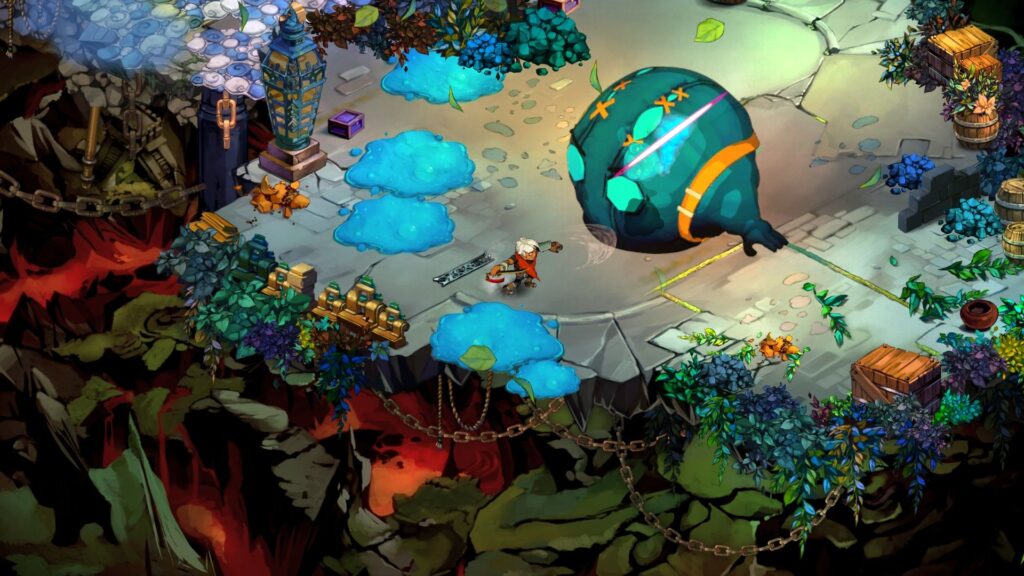
What Is Bastion?
Bastion is an action role-playing game from Supergiant Games, the studio’s first release. You play the Kid, a lone survivor who wakes up in a world shattered by a mysterious event called the Calamity. Fragments of the land float in the sky, a narrator describes everything you do in a gravelly voice, and your goal is to gather shards that power a refuge called the Bastion.
The game came out on Xbox 360 in July 2011 and on Windows that August, and it has since reached macOS, Linux, PlayStation 4, PlayStation Vita, Xbox One, Nintendo Switch, and iOS. Critics loved it, and it still holds a 95 percent positive rating from more than 37,000 reviews on Steam.
Similar Apps:
Key Features of Bastion
A narrator that reacts to you. Every roll, miss, and stumble can earn a comment, and that spoken storytelling is what most people remember about the game.
Hand-painted worlds. The game has more than 40 colorful, atmospheric locations, drawn in a watercolor style that holds up well all these years later.
Action combat that rewards finesse. You can wield more than ten upgradeable weapons, including hammers, bows, and firearms, and mix them to suit your style.
A place to build your power. The Bastion is both your hub and the heart of the story. Six structures can be discovered and used to upgrade gear and shape your loadout.
Replay options. After the story, New Game Plus and Score Attack modes unlock, and a No-Sweat Mode lets players of any skill level enjoy the story without pressure.
Music that people still listen to. The original score is one of the game’s most praised parts.
Is There an Official Bastion APK?
No. Bastion has never been released for Android. The only official mobile version is for iOS, a universal app for iPhone and iPad that is about 1.4 GB, rated 13+, with touch controls made for iOS and iCloud save syncing.
Some pages offer a “Bastion APK” for Android. These are unofficial ports. They’re large files, around 1 GB, that package the actual game and add touch controls. Because Bastion is a paid game owned by Supergiant, those files are redistributed without permission, which is a copyright problem, and there’s no reliable way to confirm what else is inside them. We don’t link to them or recommend them.
How to Play Bastion on Android (The Legitimate Way)
The simplest route is to run the game on a computer you own and stream it to your phone.
- Buy Bastion on Steam and install it on your PC or Mac. The regular price is $14.99.
- Install Steam Link on your Android phone or tablet. It’s a free app from Valve.
- Log in to the same Steam account on both devices.
- Turn on Remote Play in your computer’s Steam settings.
- Pair the phone with your computer following the on-screen steps.
- Pick Bastion in the library and start playing.
Steam’s own page for the game lists Remote Play on phone, tablet, and TV among its features. Your computer needs to be turned on and running Steam the whole time.
Try the Demo First
If you’re not sure the game is for you, Steam offers a free demo of Bastion. That’s a good way to test both the game and your streaming setup before you spend anything.
What You Need for Smooth Streaming
Bastion is an old, light game. The Steam page lists very modest requirements for PC: a 1.7 GHz dual-core processor, 2 GB of RAM, and a graphics card with 512 MB of video memory. Almost any computer from the last decade can run it, so the stream is more likely to depend on your network than your hardware.
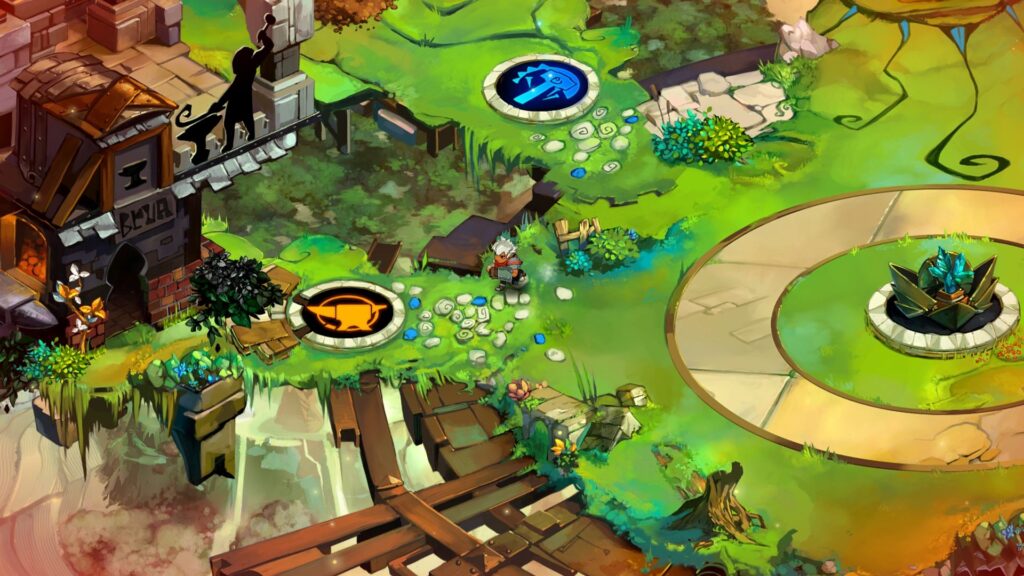
Use a 5 GHz Wi-Fi network or a wired connection on the PC, and sit close to your router. A Bluetooth controller makes the action feel better than the touch controls, so pair one before you start. A phone stand or tablet gives you a bigger picture.
What It Costs
| Option | Cost |
|---|---|
| Bastion on Steam (regular price) | $14.99 |
| Steam sale price | Often between $2.24 and $2.99 during discounts of up to 85 percent |
| Bastion plus the soundtrack | About $21 at full price |
| Steam demo | Free |
| Steam Link app | Free |
Bastion goes on sale often, so if you’re patient, you can usually pick it up for a few dollars.
Tips for Your First Hours
Play a few early stages before you decide how you like to fight, since the game gives you plenty of weapons to try. Don’t skip the narration. It’s the soul of the game, and listening carefully is part of the fun. Use the Bastion hub to upgrade your weapons and rework your loadout between stages, and switch up your approach if a section feels hard. If you want a gentler ride, No-Sweat Mode is there for exactly that.
Native Android Games Worth Trying Instead
If you’d rather install something directly on your phone, a few action RPGs are made for Android. Dead Cells is a well-known paid port, and Eternium is a popular free action RPG. They don’t have Bastion’s narrator or watercolor look, but they offer quick, satisfying combat on a touchscreen.
Common Problems and Fixes
The stream is laggy. Move to 5 GHz Wi-Fi, get closer to your router, and lower the streaming quality.
The controller doesn’t work. Re-pair it in your phone’s Bluetooth settings and restart Steam Link.
Bastion doesn’t appear in Steam Link. Check that Remote Play is on and that both devices use the same account.
The computer falls asleep. Change your power settings to keep it awake while you play.
Touch controls feel awkward. A Bluetooth controller is a much better option.
Frequently Asked Questions
Is there an official Bastion APK for Android?
No. Bastion has not been released for Android.
Is Bastion on mobile at all?
Yes, on iOS. The iPhone and iPad version came out in 2012.
Can I play Bastion on my Android phone?
Yes, by streaming it from your PC with Steam Link.
How much does Bastion cost?
$14.99 on Steam, with frequent sales that bring it down to a few dollars.
Is there a demo?
Yes, Steam offers a free demo.
Are the Bastion APK files online safe?
They’re unofficial ports and can’t be verified, so we don’t recommend them.
What platforms is Bastion officially on?
Windows, macOS, Linux, Xbox 360, Xbox One, PlayStation 4, PlayStation Vita, Nintendo Switch, and iOS.
Do I need a controller?
Not strictly, but it makes streaming more comfortable.
Conclusion
Bastion has no official Android version, and the APKs that claim otherwise are unofficial. But the game is old, light, and often almost free on Steam, which makes it one of the easiest games to stream to your phone. Try the demo, buy it when it’s on sale, and let the narrator tell you a story.